Product Images

Is there an easy way to copy an image out of Harmoniq to attach to an email or similar?
-

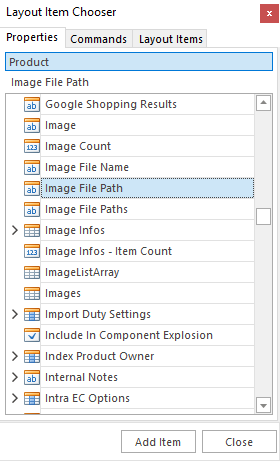
If you add the ImageFilePath to the screen layout then it should allow you to Right Click and Copy - the default on some screens is ImageFilePaths which allows you to scroll through multiple images, but this doesn't currently support copying/pasting.
 1
1 -
Cool okay. It works after I've added that field. But upon saving the view, closing the product & reopening it, the right click menu options change to Paste only… can you check into that? It seems to only work straight after adding the field.
0 -

Yes we are finding the same, it would be good if the field could be locked somehow to allow copying and pasting. Any update on this post from LogIQ support?
0
Please sign in to leave a comment.
Comments
3 comments